
The Symbology folder
In earlier versions of RivEX, symbology was built and applied to the output through code. This allowed RivEX to apply a consistent style to it's outputs. As of version 1.21 of RivEX many of these styles are now exposed as layer files which a tool applies to its output. They are stored in the folder location:
C:\RivEX_ArcPro\Symbology
You can apply these styles to other datasets using the Apply symbology from layer tool or if you are building a model using RivEX tools you can ensure any outputs that are added to the display take on the familiar output style by setting the template to the layer file in this folder.
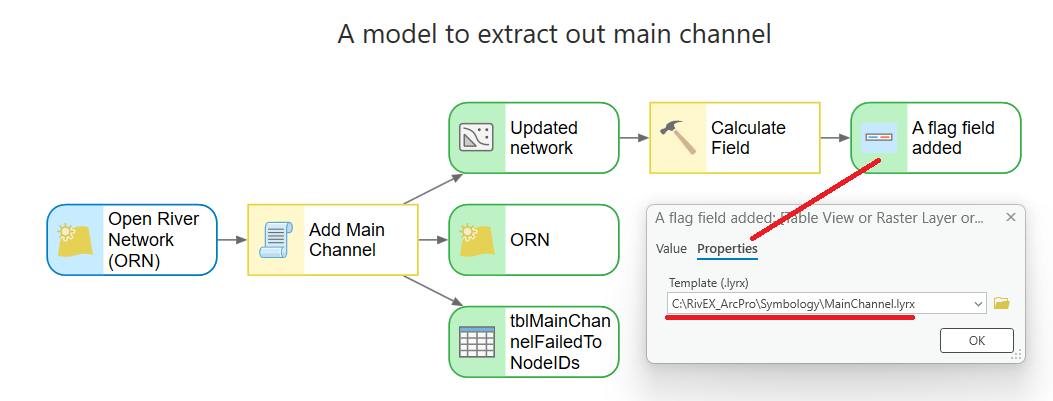
An example of a model using the Add Main Channel tool. By setting the properties of the output of the calculate field tool
to the layer file in the symbology folder this ensures when this output is added to the display it takes on the RivEX style, in
this case a thick red line.