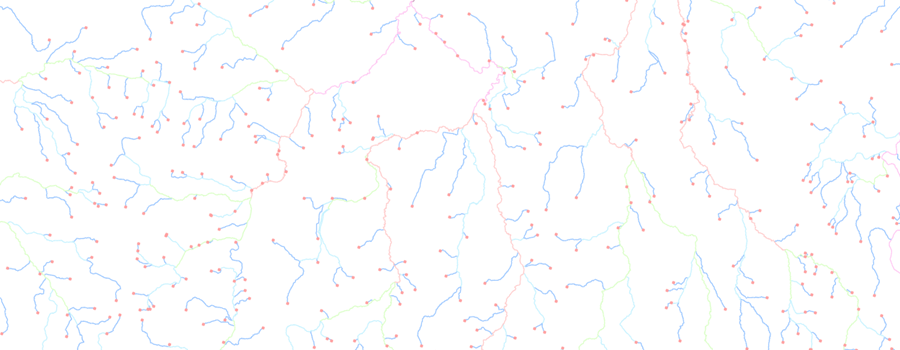
Generating nodes from your river networkNodes are the junctions at which polylines join each other, this ensures the network is topologically correct. Each polyline has two nodes a from-node (the point at which a line starts) and a to-node (the point at which a line ends). For RivEX to process the river network for stream orders, the network must have correct node information stored within the attribute table of your polyline dataset. RivEX allows you to:
RivEX will generate metadata for any of the above processes which you can read in ArcCatalog. Remember the style sheet filters what you see, so you will need to swap between different style sheets to see specific information generated by RivEX. Updating node ID number in attribute tableRivEX will extract out the nodes of the river network and give each node a new ID number. This information is stored in the newly created fields from-node and to-node. Below is an image displaying the two new fields (Fnode and Tnode) populated with node ID numbers. It is important to understand that the connectivity of the network has not been altered but simply the nodes identified and numbered.
Extracting a node layer for your river networkBy choosing the "create a node layer" option, RivEX will extract out the nodes of the network, give each a unique ID number and store them as points in a new shapefile. The shapefile will be stored in the default directory location "C:\RivEX\Output" and take on the layer's name with the suffix of "_node". The image below shows a network with its nodes extracted and displayed as a separate layer.
Below is an image of the attribute table for a newly created node layer. The NodeID field is the unique ID number given to the node. Also supplied are the XY coordinates of the node, its valency and node type.
Extracting source and mouth nodes for your river networkAs RivEX deals with river networks it is often important to distinguish between the different types of nodes. Two types that are specific to rivers are the nodes that represent the sources and mouths of rivers. RivEX can extract the nodes that represent the sources and mouths, give them the same ID number as held in the node layer and store them as points in separate shapefiles. These files will be stored in the default directory location "C:\RivEX\Output" and take on the layer's name with the suffix of "_mouth" or "_source". The image below shows a network with its nodes extracted and displayed as separate sources and mouths.
Extracting the pseudo nodes of a river networkRivEX is capable of identifying pseudo nodes within a river network. These are nodes which are joined by only two polylines. These nodes may represent some boundary but their presence affects certain types of analyses, most specifically link type identification. Pseudo nodes are typically artificial junctions in the network and can be caused by many reasons (for example someone stopping for a coffee break whilst digitising the network). Therefore, in some cases it is OK to remove these nodes and merge the polylines into a single polyline. This makes for a more efficient river network which can be processed for link types. When you select Identify pseudo nodes the output is a new Shapefile with just the pseudo nodes. The output file is stored in "C:\RivEX\Output" and ends with the suffix "_Pseudo_nodes". The attributes of the pseudo nodes are its ID number and its XY coordinates. The image below shows a river network with its pseudo nodes extracted as a separate layer and coloured red.
Create a pseudo node free river networkRivEX gives you the option to construct a new river network without pseudo nodes when you choose to identify pseudo nodes in an existing river network. The output is a Shapefile ending with the suffix "_Pseudo_Node_Free". The original dataset is not altered. By removing pseudo nodes RivEX is altering the topology of the network. During this process all network attribution is lost. Therefore this is a process you should do before attempting to attribute your network. In the new Shapefile there are two new fields, PolylineID and Origin. PolylineID is a unique number given to each polyline and Origin is where the polyline has come from. If it is given a value of "O" then it simply a copy of the polyline from the original dataset where as "U" means it is a product of a union of 2 or more polylines as shown in the image below.
Transferring catchment ID's to nodes, mouths and sourcesOnce you have created your catchment ID values using RivEX you can transfer these to the nodes, mouths and sources layers. These layers must be loaded into ArcMap before you choose this process. The output is a new field with the same name in your node layers. You can "trick" RivEX into transferring other relevant catchment data.
|
© RivEX 2011